
Português: Guia básico para novatos
Guide for new players
Creating an account:
After downloading the game here. You can open the game and will see the login screen. If you need help with installing or any of the steps, you can find help on the Installation Help page.
After clicking 'new user?', you can choose your name, password & starting appearance with several different hair styles, different clothes, …
Once you are happy with your sprite and your name does not break any of the rules and agree to the terms of use, you can click register. After which you will be able to login and start playing the game.
Side Icons:
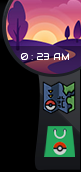
Time of Day
In the top right corner, you see the server time. Server time is set in UTC.
The game has days of 12 hours. So every 12 hours, dawn, day, dusk, night happens.
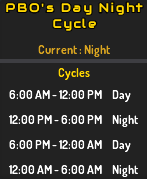
6:00-11:59 is daytime, 12:00-17:59 is nighttime, 18:00-23:59 is daytime again & 00:00-5:59 is nighttime again. Hovering over the time will also show whether its day or night.
This is also shown ingame by hovering over the image near the time:
Besides some day or night only spawns, we also have some evolutions based on time.
Map
Under the clock, there is the map. To unlock the map, you have to follow the story quests until you get the map item:
Besides seeing where you are, you can also see where a swarm is happening.
To the right on the map, you can check what pokémon spawn on the map you are currently in. It only shows the outline if you haven't encountered the pokémon before.
There are also some icons to show how you can encounter them.
Donator Store
The donator store is the shop where you can spend gems. Main way to get gems is by donating to the game. But basic gamepass and PVP are 2 free ways to gain some gems, other than just trading with other people.
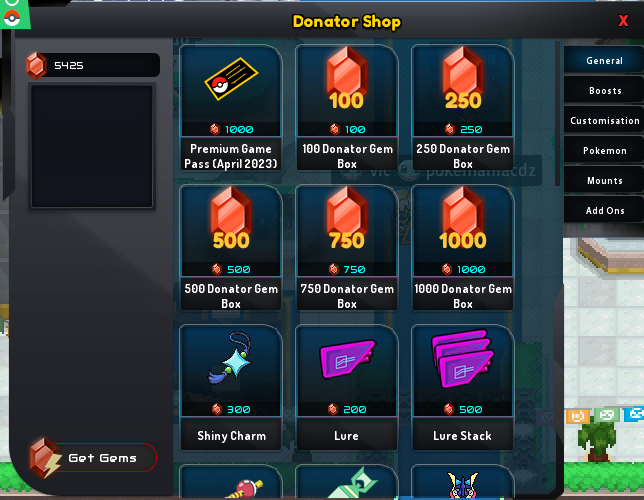
Several tabs in the donator shop. Be sure to check them all out.
Server wide boosts, membership, mounts, outfits, premium gamepass, ... can all be found here.
Settings:
The settings are divided in 4 categories:
Sidebar (bottom left)

Trainer Card

The trainer card consists of 5 tabs. You can check your own by clicking this icon, or check other players' trainer cards by clicking the sprite & selecting show trainer card.
Bag

The bag, integral part of any pokemon game holding all the items a player collects. We can't have full bags in this game.
There is a search function which searches the part of the bag you have opened.
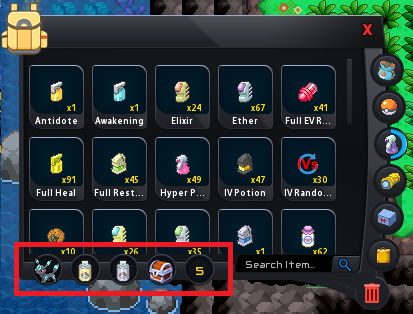
5 quick use slots are available to use as you like, on the image shown below, the first slot houses a mount, the second & third houses super & max repel. You can quick use them via the hotkey (standard ctrl+1-5) or using the quick use wheel by clicking yourself (explained later in this guide).
Again this is divided in multiple parts:

Doubles as a blocked list aswell (click the red cross). Blocking someone will remove the ability to whisper each other & both players will be invisible in any chat towards each other.
More information on interacting with others in guide on how to PM, Add friends, Block people and Trade
Crew

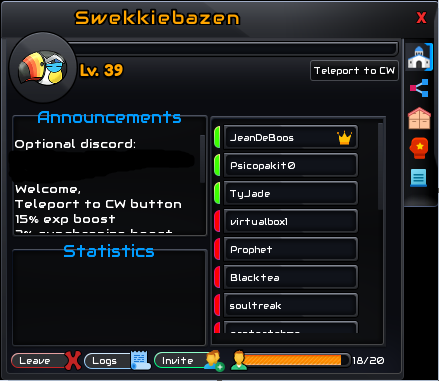
Multiple tabs here including crew banks & crew skills.
More info can be found in the guide on crews (and crew wars)
Trade House

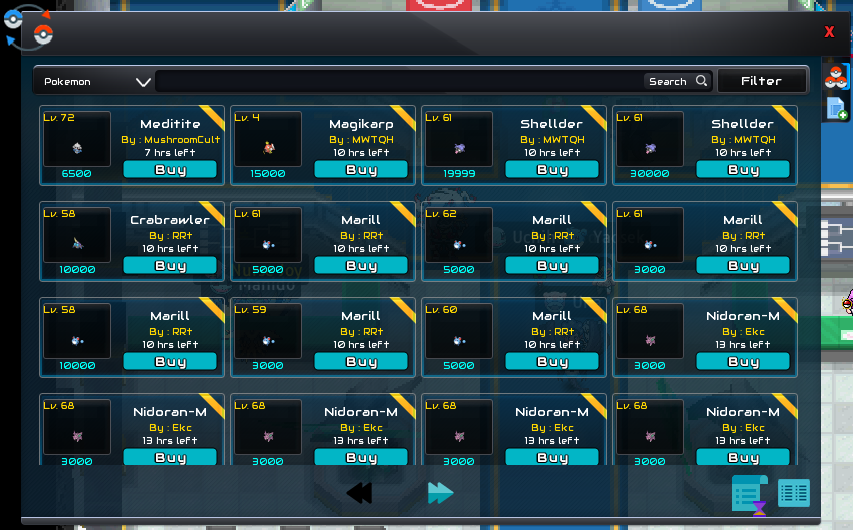
More info on trade house in the guide made on tradehouse.
Achievements

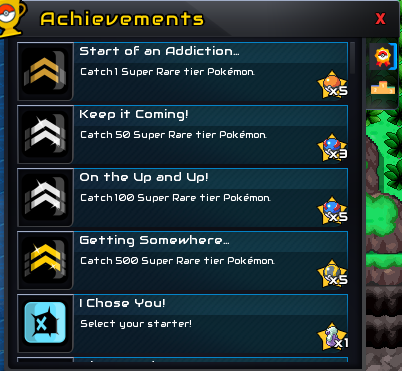
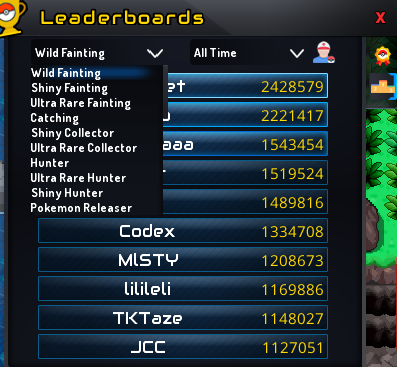
Doubles as leaderboard. Not only can you get achievements & some rewards (pokeballs all the way to master balls), you can also see top 10 serverwide on several statistics including shiny hunter, shiny collector, ultra rare fainter, max dynamax damage and many many more. These top 10's can even be filtered by daily, weekly, monthly or all-time.
You can see your own placement (and amount) by hovering over the trainer icon (next to period filter).
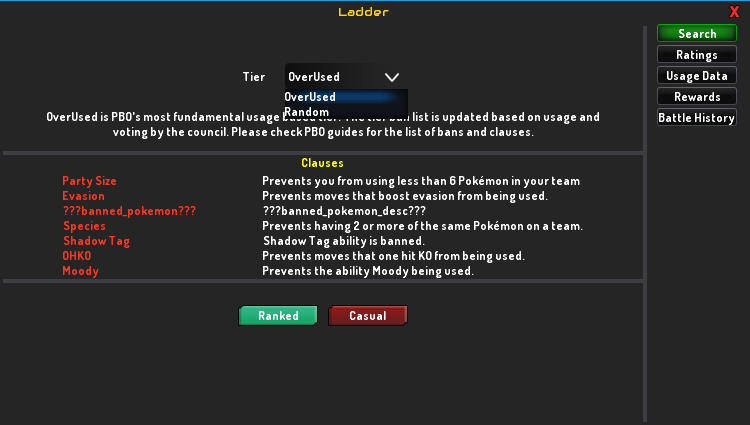
Ranked Battles

For more info on Ranked Battles see this guide on ranked battles.
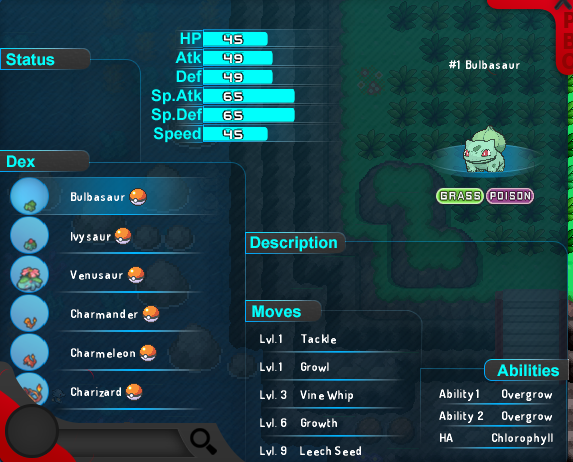
Pokédex

Show every pokemon from generation 1-9 & the learnsets, abilities they have in-game. Does not mean every pokemon on this pokédex is already available.
Hovering over the abilities show what they do.
Has a search function.
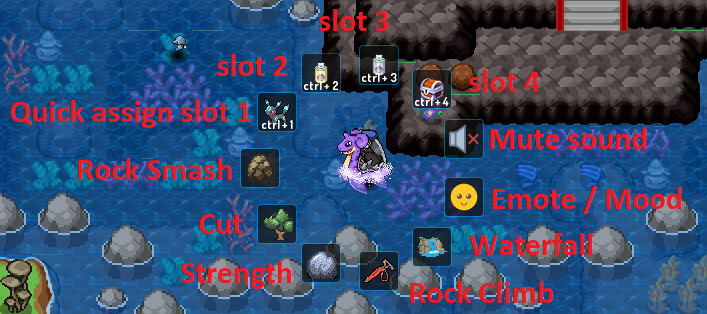
Quick Assign:
The quick assign menu can be accessed by clicking on yourself.
Items you put in the quick assign menu in the bag will show up alongside all the HMs you own, the emotes you can use and the mute sound button.
Guide for new players
Creating an account:
After downloading the game here. You can open the game and will see the login screen. If you need help with installing or any of the steps, you can find help on the Installation Help page.
After clicking 'new user?', you can choose your name, password & starting appearance with several different hair styles, different clothes, …
Once you are happy with your sprite and your name does not break any of the rules and agree to the terms of use, you can click register. After which you will be able to login and start playing the game.
Side Icons:
Time of Day
In the top right corner, you see the server time. Server time is set in UTC.
The game has days of 12 hours. So every 12 hours, dawn, day, dusk, night happens.
6:00-11:59 is daytime, 12:00-17:59 is nighttime, 18:00-23:59 is daytime again & 00:00-5:59 is nighttime again. Hovering over the time will also show whether its day or night.
This is also shown ingame by hovering over the image near the time:
Besides some day or night only spawns, we also have some evolutions based on time.
- Eevee:
Umbreon will be the evolution if eevee is leveled up with happiness in night time, where it will be espeon if during daytime. - Alolan/galarian forms:
If a pokemon doesn't have a base alolan/galarian form, you can get the alolan/galarian form here by evolving it at night.
(eg koffing, will become weezing if evolving in daytime, where it will be galarian weezing if nighttime. Galarian Slowbro has galarian slowpoke as base form, so regular slowbro will only turn into regular slowbro (or slowking ofcourse) - Rockruff:
- Lycanrock-midday can be obtained by evolving the rockruff during daytime
- Midnight form will be gained if doing so in night time (except when dusk form).
- Dusk form will be gained if evolving the rockruff in first hour of night time (12:00-12:59 and 00:00-00:59)
Map
Under the clock, there is the map. To unlock the map, you have to follow the story quests until you get the map item:
- For Sinnoh, you'll get it after giving the parcel to Barry in Jubilife;
- For Jvaloh, the map is obtained after showing Aunt May the family amulet;
- For Hoenn, the map is gifted by Professor Birch early on.
Besides seeing where you are, you can also see where a swarm is happening.
To the right on the map, you can check what pokémon spawn on the map you are currently in. It only shows the outline if you haven't encountered the pokémon before.
There are also some icons to show how you can encounter them.
- Top right will show when to encounter it
- A sun: day time spawn
- A moon: night time spawn
- Bottom left will show how to encounter it
- Grass: run in grass
- Fishing rod: fish near (or on) water
- Surf wave: surf on water
Donator Store
The donator store is the shop where you can spend gems. Main way to get gems is by donating to the game. But basic gamepass and PVP are 2 free ways to gain some gems, other than just trading with other people.
Several tabs in the donator shop. Be sure to check them all out.
Server wide boosts, membership, mounts, outfits, premium gamepass, ... can all be found here.
Settings:
The settings are divided in 4 categories:
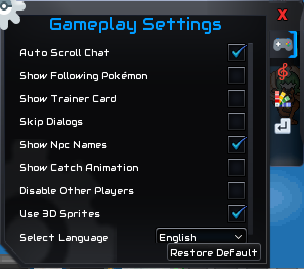
- Gameplay: Several options to change settings affecting the gameplay including language, following pokémon (when running/on mount/bike), catch animation, ...
Disabling other players can help against lag when playing on low end device/internet. - Sound: All settings involving sound. Includes disable battle music & mute sound.
- Graphics: Here you can find the most useful settings (in my opinion). You can scale the UI, zoom in & out (affects lagg on low end devices), toggle full screen.
Disabling dynamic lighting can help in caves & together with the weather & particles effect, has the most influence on performance on low end devices. - Hotkeys: Every good game has adjustable hotkeys for actions. Keep in mind every action has to be 1-on-1 key to action. As to not break the rule against macro's in the rules.
Sidebar (bottom left)
Trainer Card
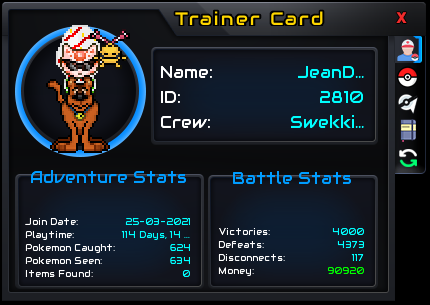
The trainer card consists of 5 tabs. You can check your own by clicking this icon, or check other players' trainer cards by clicking the sprite & selecting show trainer card.
- Player info: Shows many interesting stats (to everyone), including join date, dex progress & pvp win lose. As visible on above screenshot.
- Pokéball: Shows the current team the player is holding. Can be disabled in settings under gameplay, 'Show trainer card', as to not show team for pvp/tournaments/dynamax raids/...
- Badges: Shows all the player's badges, can toggle between regions by clicking the region.
- Journal: Here you can type whatever message you want (please do think of the general game rules). You can even use colours by typing the colour between [ ] in caps. E.g.: [GREEN] for green text.
- 5th tab is different if checking on yourself or on others.
- On yourself: Here you can change your look by equipping decoration items gained in-game. You can filter on layers easily here. Different way to change your look is through the bag (where its easier to filter on name using the search function), where in bag is shown later in this guide when we get to the bag part.
- On others: You can see the achievements other players got by clicking the 5th tab on player card. More information on achievements later in this guide when we get to that part.
Bag
The bag, integral part of any pokemon game holding all the items a player collects. We can't have full bags in this game.
There is a search function which searches the part of the bag you have opened.
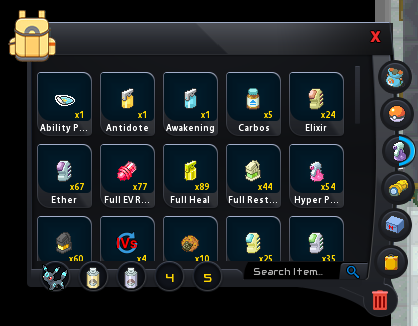
5 quick use slots are available to use as you like, on the image shown below, the first slot houses a mount, the second & third houses super & max repel. You can quick use them via the hotkey (standard ctrl+1-5) or using the quick use wheel by clicking yourself (explained later in this guide).
Again this is divided in multiple parts:
- General: A little mix of several things can be found here, basicly anything that doesn't fit the other sections.
- Usable items like lures, blaze radars, repels, shiny tracker, ...
- All held items except berries
- Story items like yellow shard, works key, sinnoh map, vs. seeker, ...
- Unopened packs like costume packs, gem packs, ...
- Money items like big nuggets, balm mushrooms, ... (mostly gained from dynamax event, also a few in story)
- Evolution items like water stone, thunder stone, magmarizer, razor claw, ....
- Pokeball: Shows all your pokeballs.
- Medicine: Shows all your usable battle items, including berries, potions, revives. Also the spot where ability chaging items, IV Randomizers & IV Potions are stored.
- Machines: All your HM & TM are stored here.
- Miscellaneous: Houses your currencies (other than cash), chests (both pokemon boxes & blaze chests) & safari tickets
- Customisations: Has all your mounts & costume items. As explained in Trainer Card part, you can build your outfit from this part of the bag aswell as via the trainer card.
- Red trashcan: You can drop unwanted items by dragging items to this red bin. You'll be asked how many & if you are sure you want to drop.
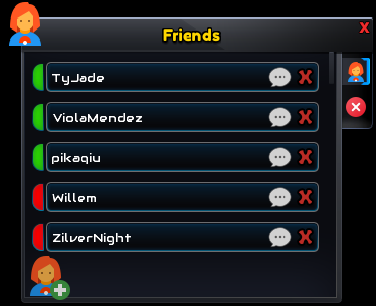
Doubles as a blocked list aswell (click the red cross). Blocking someone will remove the ability to whisper each other & both players will be invisible in any chat towards each other.
More information on interacting with others in guide on how to PM, Add friends, Block people and Trade
Crew
Multiple tabs here including crew banks & crew skills.
More info can be found in the guide on crews (and crew wars)
Trade House
More info on trade house in the guide made on tradehouse.
Achievements
Doubles as leaderboard. Not only can you get achievements & some rewards (pokeballs all the way to master balls), you can also see top 10 serverwide on several statistics including shiny hunter, shiny collector, ultra rare fainter, max dynamax damage and many many more. These top 10's can even be filtered by daily, weekly, monthly or all-time.
You can see your own placement (and amount) by hovering over the trainer icon (next to period filter).
Ranked Battles
For more info on Ranked Battles see this guide on ranked battles.
Pokédex
Show every pokemon from generation 1-9 & the learnsets, abilities they have in-game. Does not mean every pokemon on this pokédex is already available.
Hovering over the abilities show what they do.
Has a search function.
Quick Assign:
The quick assign menu can be accessed by clicking on yourself.
Items you put in the quick assign menu in the bag will show up alongside all the HMs you own, the emotes you can use and the mute sound button.
Last edited:

