Hello everyone,
this is a small Guide on the EC for those who want to use it. Hope you enjoy.
Step 1: Download the EncounterCounter.exe from the Github link.
Step 2: run the .exe file (it may load for a bit)
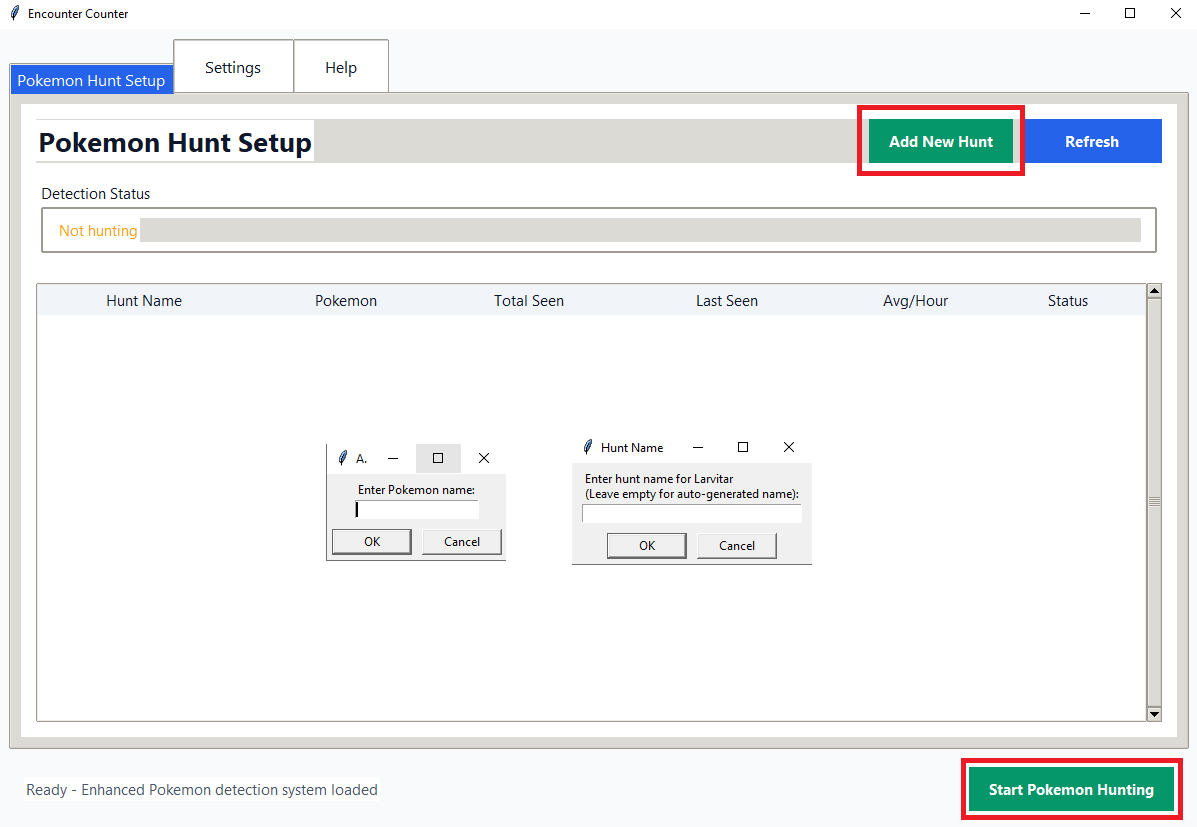
Step 3: Click "Add New Hunt", "Enter Pokemon Name" followed by "Enter Hunt Name".
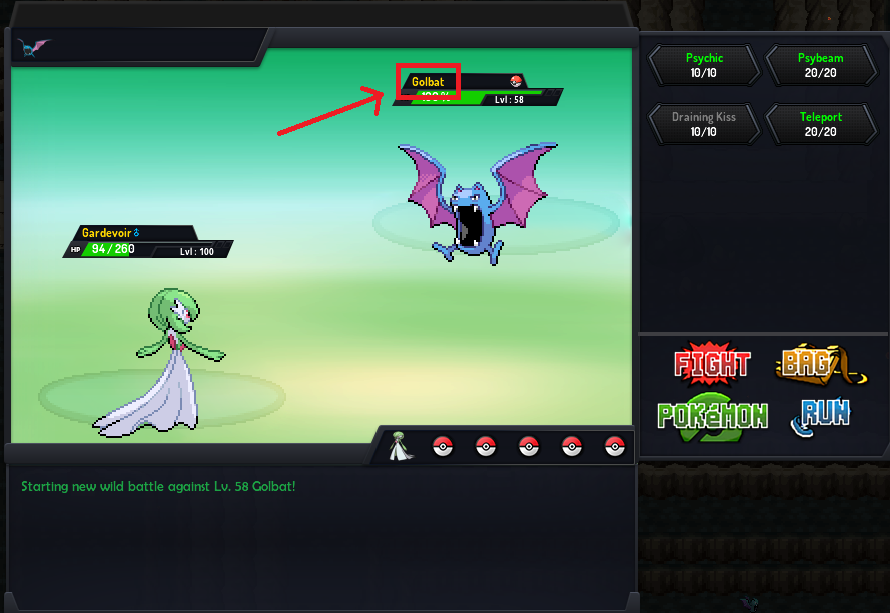
Step 4: go to the Settings Tab and click on "Select Area" make sure to select the exact same Area as shown in the Screenshot below.
Step 5: choose your Detection Mode, for most players who kill their Pokemon Normal (100ms) should be fine for those fast Runners Aggressive or even Power is recommended, just test it out a bit. Save Settings ofc.
Step 6: once everything is set up correctly just press the "Start Pokemon Hunting" Button. Enjoy!
this is a small Guide on the EC for those who want to use it. Hope you enjoy.
Step 1: Download the EncounterCounter.exe from the Github link.
Step 2: run the .exe file (it may load for a bit)
Step 3: Click "Add New Hunt", "Enter Pokemon Name" followed by "Enter Hunt Name".
Step 4: go to the Settings Tab and click on "Select Area" make sure to select the exact same Area as shown in the Screenshot below.
Step 5: choose your Detection Mode, for most players who kill their Pokemon Normal (100ms) should be fine for those fast Runners Aggressive or even Power is recommended, just test it out a bit. Save Settings ofc.
Step 6: once everything is set up correctly just press the "Start Pokemon Hunting" Button. Enjoy!
Last edited:
